Smart WiFi Fireplace Controller: Complete Guide & Buying Tips
Transform your existing fireplace into a smart, app-controlled heating source. Learn how WiFi fireplace controllers work, what they offer, and how to choose the right one for your home.
START EXPLORINGWhy Go Smart? A smart WiFi fireplace controller lets you manage your fireplace from anywhere using your smartphone, set schedules, and integrate with your smart home system. It's the easiest upgrade for modern convenience and energy efficiency.
What Is a Smart WiFi Fireplace Controller?
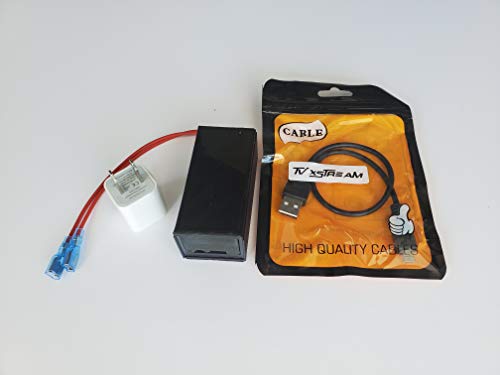
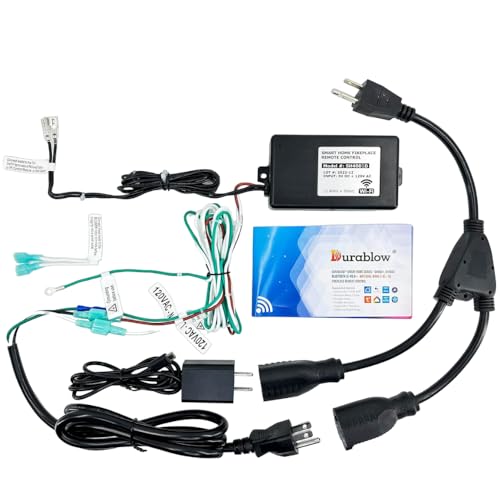
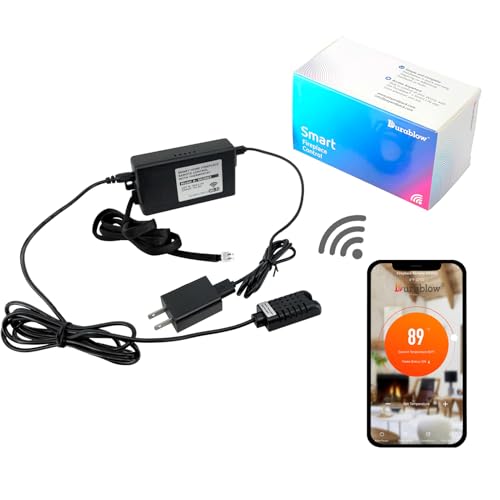
A smart WiFi fireplace controller is a device that connects your fireplace to your home's wireless network, allowing you to control it remotely via a smartphone app, voice assistant, or smart home hub. Unlike traditional remotes that require line-of-sight, these controllers let you turn your fireplace on or off, adjust flame height, set thermostatic schedules, and monitor usage from anywhere. They are especially useful for electric fireplaces and many modern gas models, though compatibility varies by brand and model.
Whether you want to warm up your living room before you arrive home or simply integrate your fireplace into your existing smart home ecosystem, a WiFi controller is the key. It also pairs well with other smart accessories like a smart thermostat to optimize energy use and maintain consistent comfort.
How Does a Smart WiFi Fireplace Controller Work?
Most smart controllers operate through a small module that connects to your fireplace's control board or replaces your existing remote receiver. Here's the typical setup:
- Connectivity: The module links to your home's 2.4 GHz WiFi network.
- App Control: You download the manufacturer's app (or a universal smart home app like Smart Life or Tuya) to control the fireplace.
- Voice Integration: Many controllers work with Amazon Alexa, Google Assistant, or Apple HomeKit.
- Scheduling & Automation: Set timers, create scenes, or trigger the fireplace based on temperature or occupancy.
Some advanced models also offer energy monitoring, child locks, and compatibility with replacement remote controls for a seamless transition. If you're handy, you might even consider a DIY electric fireplace project that includes WiFi control from the start.
Key Benefits of a Smart WiFi Fireplace Controller
📱 Remote Access
Turn your fireplace on or off from anywhere using your smartphone. Perfect for pre-warming a room before you get home.
⏰ Scheduling & Timers
Create custom schedules to match your daily routine. Save energy by only heating when needed.
🗣️ Voice Control
Integrate with Alexa, Google Assistant, or Siri for hands-free operation. Great for accessibility and convenience.
🔗 Smart Home Integration
Connect with other smart devices for advanced automation. Trigger the fireplace when your smart thermostat drops below a set temperature.
📊 Energy Monitoring
Track usage and optimize heating costs. Some controllers provide real-time energy consumption data.
🔒 Safety Features
Auto-shutoff timers, child locks, and overheat protection add peace of mind, especially if you have pets or children.
Compatibility: Which Fireplaces Work with WiFi Controllers?
Not all fireplaces are smart-ready. Here's a quick breakdown by type:
| Fireplace Type | WiFi Compatibility | Notes |
|---|---|---|
| Electric Fireplaces | High (most models) | Many newer electric fireplaces have built-in WiFi. Older models may need a plug-in smart outlet or a retrofit controller. |
| Gas Fireplaces | Medium | Requires a compatible control module or a smart gas valve. Always consult a professional for gas appliance modifications. |
| Wood Burning | Low | Not directly compatible due to safety and venting requirements. Smart control is generally limited to monitoring or blower fans. |
| Ethanol Fireplaces | Very Low | Manual operation only. No electrical components to control. |
For electric models, check if your fireplace has a USB or receiver port for a WiFi module. If not, a smart wall switch or timer can sometimes be used as a workaround for basic on/off control. For gas fireplaces, a replacement remote control that supports WiFi may be an option, but professional installation is recommended.
How to Choose the Best Smart WiFi Fireplace Controller
When shopping for a controller, consider these factors to ensure you get the right fit for your home and lifestyle:
- Compatibility: Verify that the controller works with your fireplace brand and model. Some controllers are universal, while others are brand-specific.
- App Quality: A well-designed app makes a big difference. Look for apps with intuitive controls, scheduling, and reliable connectivity.
- Voice Assistant Support: If you use Alexa, Google Assistant, or Siri, ensure the controller supports your preferred ecosystem.
- Installation Requirements: Some controllers are plug-and-play, while others require wiring into the fireplace's control board. Assess your comfort level or budget for professional installation.
- Additional Features: Thermostatic control, energy monitoring, and geofencing are premium features that can enhance convenience and savings. Entry-level models may only offer basic on/off and timer functions, while mid-range and high-end options often include these advanced capabilities.
- Warranty & Support: A solid warranty and responsive customer support are signs of a quality product.
If you're integrating your fireplace into a broader smart home system, consider how the controller will interact with other devices. For example, pairing it with a fireplace blower fan can improve heat distribution, and a smart thermostat can optimize when the fireplace turns on.
Installation & Setup: What to Expect
Installation complexity varies by controller type. Here's a general overview:
- Plug-and-Play Controllers: These simply plug into a wall outlet and your fireplace's existing remote receiver. No wiring required—ideal for renters or DIY enthusiasts. Setup typically takes 10–15 minutes.
- Hardwired Controllers: These require connecting the module to your fireplace's control board. If you're not comfortable working with electrical components, hire a professional. Expect 30–60 minutes for installation.
- App Configuration: Download the app, create an account, and follow the in-app instructions to connect the controller to your WiFi network. Most apps guide you through the process step by step.
For electric fireplaces, a DIY fireplace surround project might include planning for cable management and controller placement. If you're considering a larger renovation, our fireplace installation guide covers broader considerations. Always follow the manufacturer's instructions and local codes. If you're unsure, consult a licensed electrician or HVAC technician.
Maintenance & Troubleshooting Tips
Smart controllers are generally low-maintenance, but a few best practices will keep them running smoothly:
- Keep Firmware Updated: Manufacturers release updates to improve security and performance. Enable auto-updates if available.
- WiFi Signal Strength: Ensure your fireplace area has a strong WiFi signal. If not, consider a mesh network or WiFi extender.
- App Issues: If the app isn't responding, try restarting your router and the controller. For persistent issues, check our fireplace troubleshooting section or contact support.
- Cleaning: Dust the controller module occasionally. For fireplace cleaning, refer to our guide on cleaning electric fireplaces or gas fireplace maintenance.
If your controller stops working after a power outage, it may need to be reconnected to WiFi. Most apps have a simple reconnection process. For more complex issues, consult the manufacturer's manual or seek professional help.
Frequently Asked Questions
Do I need a smart WiFi controller for my fireplace?
It's not essential, but it adds significant convenience. If you want remote access, scheduling, or smart home integration, a WiFi controller is the best upgrade. If you're happy with a traditional remote, it may not be necessary.
Can I install a WiFi controller myself?
Plug-and-play models are DIY-friendly and require no special skills. Hardwired models may require electrical knowledge. If you're unsure, hire a professional to avoid damaging your fireplace or voiding warranties.
Will a WiFi controller work with my older fireplace?
It depends on the model. Many older electric fireplaces can work with a plug-in smart outlet or a universal retrofit controller. Gas fireplaces may need a compatible control module. Always check compatibility before purchasing.
Does a WiFi controller use a lot of electricity?
No, the controller itself uses minimal power—typically less than a standard light bulb. The fireplace's heating element is the primary energy consumer. For more details, see our article on fireplace electricity usage.
Can I control multiple fireplaces with one controller?
Some apps allow you to manage multiple devices, but each fireplace typically needs its own controller module. Check the app's capabilities before buying.
Is it safe to leave a WiFi-controlled fireplace on unattended?
Most modern fireplaces have safety features like auto-shutoff. However, it's always best to follow the manufacturer's guidelines. For more safety tips, read our article on leaving a fireplace on overnight.
Final Thoughts
A smart WiFi fireplace controller is a small investment that brings big convenience. Whether you want to warm up your home before you arrive, integrate your fireplace into your smart home ecosystem, or simply enjoy voice control, there's a controller that fits your needs. Just remember to check compatibility, consider installation requirements, and choose a model with the features that matter most to you.
If you're still exploring fireplace options, our fireplace buying guide can help you understand the broader landscape. And if you're ready to upgrade your current setup, a WiFi controller is one of the easiest and most impactful improvements you can make.